


BrickSearch Minifigure Scanner
Tiro Media Ltd
I found BrickSearch Minifigure Scanner most useful when I treated it as a collection companion rather than a general shopping app. It is designed for LEGO minifigure boxes, helping me identify items, keep track of what I own, and connect purchases with cashback features. That focused purpose makes it appealing to collectors who regularly buy blind boxes, but it also means the app feels quite specialized if you only purchase LEGO occasionally.
Published by Tiro Media Ltd, this free shopping app is available to a broad audience with an Everyone age rating. It has passed the half-million-install mark, which suggests that it has found a real audience among collectors, although its average rating of 3.1 from roughly 4,400 ratings points to a mixed experience. I think that combination describes it fairly well: the central idea is practical, but the day-to-day experience depends heavily on how often you scan figures and how much patience you have with collection management.
How BrickSearch handles readability and navigation
A focused starting point for collectors
The strongest part of the concept is that it addresses a very specific problem. When I am looking at sealed minifigure boxes, the important question is usually not “Which LEGO product is this?” but “Do I already have this character?” A scanner and collection record can make that decision quicker than relying on memory, handwritten notes, or a separate spreadsheet.
The app’s short store description presents it simply as BrickSearch, while its fuller purpose is much clearer once you understand the workflow: scan a box, identify the minifigure, and use the result to maintain a personal collection. That sequence is easier to understand than a large shopping catalogue filled with unrelated departments. For a collector, the narrow focus can reduce the amount of searching needed before making a purchase.
I also like the idea of separating the moment of purchase from the later organisation of the collection. At a shop, I can use the scanning function to check a box before buying it. At home, I can use the same general system to review what I already have and spot duplicates. Those are different situations, but they support the same goal, which gives the app more value than a scanner that only identifies an item once.
Related News

Why WhatsApp Messenger Still Makes Everyday Communication Feel Easy

Jurassic World: The Game Is the Better Dino Tycoon for Strategic Players

Threads in Real Life: Who Should Join, Lurk, or Leave

How SHEIN Turned Shopping Into an Endless Content Feed

How to Make Fortnite Feel Smarter on Mobile

Should You Switch to Microsoft Outlook on Mobile?
Where the interface may require extra effort
My main reservation is that a collection tool can become less comfortable as the collection grows. A new user may only need to recognise a result and save it. A long-term collector needs to move between scanning, checking ownership, reviewing duplicates, and possibly handling cashback-related information. If those areas are not visually distinct enough, the app can feel busier than its simple premise suggests.
The current version is 4.3.2, so the product is not presented as an abandoned experiment. Even so, an updated version does not automatically make every screen easy for every person. I would recommend spending a few minutes exploring the collection area before relying on it during a busy shopping trip. That small test reveals whether the labels, buttons, and movement between screens work comfortably for you.
For readers who depend on larger text, strong contrast, screen magnification, or a screen reader, the practical test matters more than the app’s category label. I would check whether the scanner controls remain understandable when the display is enlarged, whether important results are announced in a sensible order, and whether the collection status is clear without depending only on colour or tiny icons. I cannot treat the app as universally accessible simply because it is aimed at a wide age group.
Gallery
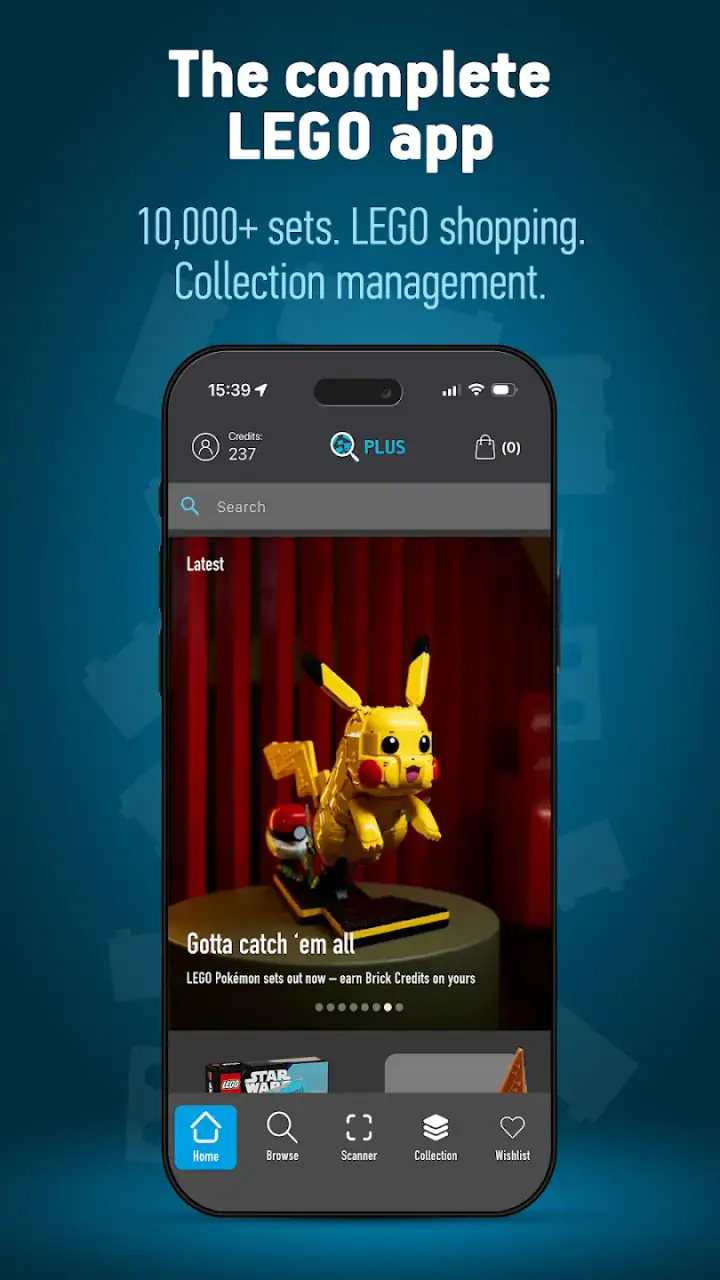
Making the collection easier to understand
One useful habit is to use the app as the single record of ownership instead of keeping several competing lists. If I scan a new figure and then immediately confirm that it has been added to my collection, I reduce the chance of forgetting what happened. This is especially helpful after buying several boxes at once, when memory becomes unreliable.
Another practical approach is to scan in a quiet place before sorting a larger haul. In a shop, bright lighting, people moving around, and pressure to make a quick choice can make any camera-based task harder. At home, I can place each box down, scan it, check the result, and then put it into a “keep,” “duplicate,” or “trade” pile. The app does not replace that physical organisation, but it can make the decision-making stage clearer.
The most important accessibility advantage is the reduction of memory work. A collector who finds it difficult to remember dozens of characters or series variations may benefit from having ownership information available at the point of purchase. That is a meaningful form of support, even if the app still requires careful visual and touch interaction.
Motor, sensory, and attention-related considerations
Scanning is convenient, but not effortless
A camera scanner sounds simple, yet it involves several physical steps: holding the phone, positioning the box, keeping the image steady, and responding to the result. For someone with hand tremors, limited grip strength, joint pain, or difficulty maintaining a fixed position, this may be more demanding than the store summary suggests.
I would use a stable surface whenever possible. Instead of holding both the phone and the box in mid-air, I can place the box on a table and move only the phone, or rest my hand against the edge of the surface. This is a small change, but it makes repeated scanning less tiring and reduces the frustration of having to try the same box several times.
Collectors who scan many boxes should also pace themselves. The app is most useful when it prevents mistakes, not when it turns a hobby into a rushed production line. A short pause after each result gives me time to verify the character and collection status before moving to the next item. That is particularly valuable for people who process visual information more slowly or who find rapid changes on screen tiring.
Visual information and sensory load
Minifigure identification is naturally visual, so the app’s usefulness depends on how comfortably a person can interpret the scan result. A user with low vision may need magnification or a larger display, while someone sensitive to glare may find a brightly lit shop difficult even before opening the app. The best environment is usually one with steady lighting and enough space to position the box without blocking the camera.
There is also a sensory difference between using BrickSearch at home and using it in a busy store. At home, I can control the lighting, reduce background distractions, and repeat a scan without feeling watched. In a shop, noise, queues, reflective packaging, and time pressure can all make the same task harder. I would not judge the app solely by a quick attempt in an unpleasant environment.
For users who are easily overwhelmed by too much information, the collection feature can be helpful if used selectively. I would begin with the basic ownership task and avoid trying to organise every possible detail immediately. A simple routine—identify the figure, confirm whether it is owned, and decide whether to buy—keeps the app from becoming another source of hobby-related clutter.
Cashback and the cost of extra attention
Cashback adds another reason to open the app, but it also introduces a second kind of task. A scanner is an immediate tool: point the phone, read the result, make a decision. Cashback requires more attention to the purchase process and to whatever steps are shown inside the app. For some users, that extra layer will be worthwhile; for others, it may make the experience feel less direct.
In-app purchases range from less than a dollar to about forty dollars per item. Because the app itself is free, I would start with the basic collection workflow and only consider paid elements after deciding whether I use the scanner regularly. This is not just a money-saving suggestion. It also prevents a user from investing additional effort in features that may not match their shopping habits or accessibility needs.
If I were helping a family member or friend who finds multi-step purchasing difficult, I would first demonstrate the scanning and collection functions separately from cashback. That makes it easier to see which part provides genuine value. It also avoids combining a physical scanning challenge with a financial decision before the person is comfortable navigating the app.
Using it in different situations
A realistic shop-floor scenario
Imagine I am in a toy shop with three sealed minifigure boxes in front of me. I remember buying similar boxes recently, but I cannot recall whether the character I want is already in my collection. I open BrickSearch, position the first box under the camera, and check the result. If it is a duplicate, I can move on without relying on memory. If it is new, I have a clearer reason to consider the purchase.
This scenario shows where the app can beat the usual alternatives. A notes app can store a list, but it does not offer the same direct connection between the box in my hand and the collection record. A spreadsheet can be more flexible, but it takes more preparation and usually requires manual entry. A paper checklist works without a phone, yet it is less convenient to update while shopping and may not help identify an item from its packaging.
There is a trade-off, though. A paper list is often easier to read at a glance, easier to share with a child, and unaffected by camera positioning. A spreadsheet may also be better for collectors who want custom fields, detailed purchase costs, trading notes, or a broader inventory covering sets and parts. BrickSearch makes more sense when quick identification and a dedicated minifigure collection are more important than unlimited customisation.
Home organisation and shared collecting
At home, I would use the app after opening a batch of boxes rather than during the opening itself. I can keep the phone on a stand or lean it against a safe object, leaving both hands available for the packaging. After each scan, I would compare the result with the physical figure and then place it in a clearly labelled group. This workflow reduces repeated handling and makes mistakes easier to catch.
The same method can help parents and children who collect together. An adult can handle the phone while a child presents each box, or the child can scan while the adult confirms the collection decision. That division is useful when a young collector is enthusiastic but not yet comfortable with small controls or camera alignment. The Everyone rating makes the app broadly suitable for general audiences, but supervision is still sensible when purchases or paid features are involved.
For a collector with attention difficulties, I would avoid scanning an entire unsorted box of figures in one sitting. Instead, I would create a short session with a clear endpoint, such as processing only the items bought that day. The app becomes easier to maintain when it supports a repeatable routine rather than a large clean-up project that is postponed repeatedly.
When the usual alternatives are better
If I only buy a minifigure once or twice a year, a simple note on my phone may be enough. The setup time for a dedicated collection app may not pay off. Likewise, if I collect many LEGO categories beyond minifigures, I may prefer a general inventory system that can track sets, loose parts, prices, and trades in one place.
On the other hand, a frequent blind-box buyer is exactly the kind of person who can benefit from BrickSearch. The more often I face duplicates or forget which characters I already own, the more valuable a quick scan becomes. The app’s specialised design is a limitation for broad inventory management, but it is also the reason it can feel more convenient than a general-purpose tool for this particular job.
Remaining barriers before making it part of a routine
Reliability matters more than novelty
A scanner is only useful if I can trust the result and understand what to do next. Packaging position, lighting, reflections, and an awkward camera angle can all affect the experience. I would always compare the identified figure with the box and my own expectations before treating the result as final. That extra check is especially important when I am buying a rare or wanted character rather than making a casual purchase.
This is also why I would not use the app as the only record for valuable collecting decisions. Keeping purchase receipts or a separate backup list may be worthwhile for anyone who trades frequently or needs a precise history. BrickSearch can reduce manual work, but a dedicated app should not encourage me to stop checking important information.
Navigation and financial boundaries
The free entry point is helpful because I can evaluate the core idea without committing money immediately. Still, the presence of optional purchases means I would review each screen carefully before confirming anything. A user who finds small text, dense layouts, or multi-step confirmations difficult may want another person nearby during the first few sessions, especially when exploring cashback or paid options.
I would also keep notifications and collection habits separate from impulse buying. A tool that makes it easier to identify a figure can make it easier to justify another purchase. My own rule would be to check the collection first, decide on a budget, and only then consider whether the scanned item is worth buying. That keeps the app in a supportive role instead of letting it drive the shopping decision.
Who should choose it—and who should skip it
I would recommend BrickSearch to an active LEGO minifigure collector who regularly buys boxed figures, dislikes duplicates, and wants a more direct alternative to handwritten lists. It is also a good candidate for families who enjoy checking a collection together and for shoppers who want identification and ownership information in the same place.
I would be more cautious if you have significant difficulty with camera alignment, small touch targets, visual scanning, or fast-changing displays. The app may still work with a stable surface, magnification, and assistance, but it should not be assumed to solve those barriers automatically. I would also skip it if your main need is a complete LEGO inventory covering sets, parts, spending history, and trades, because a more flexible catalogue may suit you better.
The mixed average rating of 3.1 is a useful reminder to keep expectations realistic. The idea is easy to appreciate, but a focused concept does not guarantee a friction-free experience on every phone or in every shopping environment. I see the app as most successful when it is used for one clear purpose at a time: identify a minifigure, check ownership, and record the result.
My inclusive verdict after using the collection workflow
BrickSearch Minifigure Scanner is a practical specialist tool, not a universal collection solution. I like how it targets the awkward moment when a collector is holding a sealed box and trying to remember what is already at home. That direct connection between scanning and collection tracking is more useful than a generic shopping search when minifigures are the main focus.
Its support for different abilities and contexts is uneven but understandable. The app can reduce memory demands and make repeated purchasing decisions more organised. It can be adapted to home use with stable positioning, controlled lighting, and shorter scanning sessions. Those adjustments make a real difference for people who find crowded shops, hand-held camera work, or rapid visual tasks difficult.
At the same time, the core interaction still depends on seeing the packaging and handling a phone accurately. Cashback and paid options may add value, but they also add decisions and potential friction. I would therefore judge it by the basic scanner-and-collection workflow first, not by every extra feature presented around it.
After considering the free price, the current version, the broad age rating, and the app’s established install base, I think it is worth trying for regular minifigure buyers. Start slowly, test it in a comfortable environment, and keep a backup record if your collection is valuable. If you want a dedicated way to reduce duplicates and remember what you own, it may become a useful part of your routine. If you need a fully customisable LEGO database or the simplest possible accessible checklist, another option may be a better fit.
FAQs for BrickSearch Minifigure Scanner
What is BrickSearch Minifigure Scanner?
BrickSearch Minifigure Scanner is a mobile tool designed to help LEGO fans identify collectible minifigures by scanning the barcode on compatible LEGO blind boxes, especially products from series that use unique box codes. After scanning, the app can display the possible character or figure associated with that code, making it easier to find specific minifigures without opening multiple packages. Results depend on the supported product series and the app’s current database.
How does the minifigure scanning feature work?
To use the scanner, open BrickSearch Minifigure Scanner and allow access to your device’s camera when requested. Point the camera at the barcode or identifying code printed on the LEGO package and keep it steady until the app recognizes it. In good lighting, scanning is generally quick, although damaged packaging, reflections, poor focus, or unsupported codes can prevent accurate recognition. You may need to try again or enter information manually if that option is available.
Does BrickSearch Minifigure Scanner work with every LEGO minifigure series?
No, the scanner should not be assumed to work with every LEGO minifigure, collectible figure, or LEGO product. Its usefulness depends on whether the specific series and packaging codes are included in the app’s database. New releases may require an update before they are supported, while older or region-specific products may produce limited results. Check the app description and supported-series information before downloading if you are targeting a particular collection.
Is BrickSearch Minifigure Scanner free to use?
The app may be available to download at no initial cost, but some features can depend on the version, platform, or current business model. Users should review the store listing carefully for advertisements, optional purchases, subscriptions, or limits on scans and database access. Availability and pricing can change over time. Before confirming a purchase, check the payment screen and subscription terms so you understand whether any charge will recur automatically.
Does the scanner guarantee that I will get the exact minifigure shown in the result?
A scan result should be treated as helpful identification information rather than an absolute guarantee. Barcode systems and packaging codes can vary by product batch, country, or release, and an incorrect scan may occur because of lighting, camera focus, printing quality, or an incomplete database. Compare the result with the package and the app’s collection details. If accuracy is important, verify the series and code before buying several blind boxes.
Pros
- Scans minifigure boxes quickly with a simple
- beginner-friendly interface.
- Helps identify character variants before opening sealed LEGO blind boxes.
- Useful for avoiding duplicate purchases when shopping in stores.
- Provides a convenient catalog for tracking scanned minifigures.
- Works well as a quick reference tool for LEGO collectors.
Cons
- Scanning accuracy can vary with lighting
- box condition
- and camera quality.
- Coverage may depend on the supported LEGO minifigure series and box codes.
- Some features or content may require an in-app purchase or subscription.
- Requires camera permission
- which may concern privacy-conscious users.
- Not useful for older figures or products without compatible scannable codes.


